1
Примеры
Viktor edited this page 2022-07-09 01:30:58 +04:00
Examples of using mafiaonline.js
In order to run any of these examples, you must follow these steps:
- Create new project using
npm - Install latest version of mafiaonline.js using instructions from README.md (
npm install mafiaonline.js) - Copy contents of any example file
- Install all dependencies listed in copied file
- Copy
.env.jsfile and installdotenv - Fill
.envfile in root of project using.env.samplefile - Run copied file using
node filename.js
Please make sure you have separate account for your bot! It's very important since you can't have multiple sessions. Also I recommend you to run bot from VPN or proxy so its ban won't expand on your account
Global chat bot
This bot runs in global chat (available from main menu). You can create it by using joinGlobalChat and sendToGlobalChat methods. See examples below, demonstrating how to interact with users.
- Calculator
- Run in command line, join global chat from other account and use command
/calc digit + digitor/calc digit - digit
- Run in command line, join global chat from other account and use command
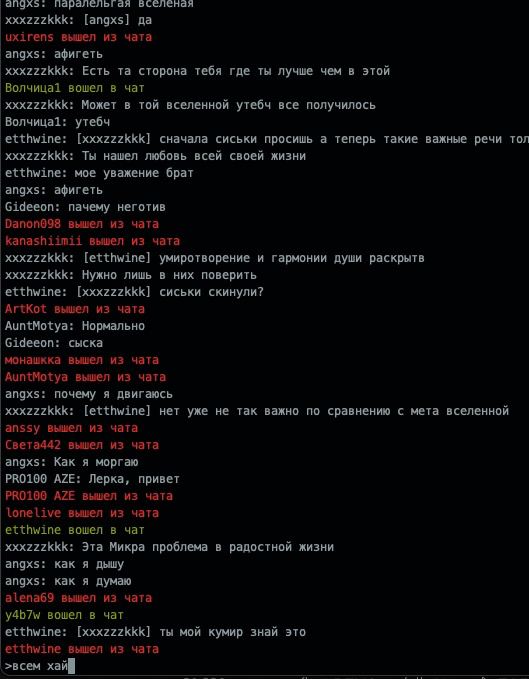
- Chat from prompt
- In-game global chat implemented as CLI. Type "exit" to safely leave the chat and exit the process
- Greeting bot
- Just run and join global chat from your own account and watch as all people are greeted.
Chatbots
Some bots can work inside room and global chat.